08/08/2023

Helm chart keyless signing with Sigstore/Cosign - DevSecOps

Software supply chain security has been one of the hot topics because of the continues attacks and exploits shown in the latest few years. So having a proper security practices like signing artifacts in today's CI/CD pipeline is not a luxury! Which became a standard DevSecOps practice.

However, for a long time it needed a lot of work to implement those practices, hence, projects like Open Source Security Foundation (OpenSSF) which created security framework like Supply-chain Levels for Software Artifacts (SLSA) and Sigstore which created tools like Cosign to standardize and reduce that fatigue.

Today I want to shed some lights on Helm chart signing with Cosign (part of Sigstore project). This post will focus on GitHub Actions and 2 ways for Helm chart signing based on the type of the Helm registry (simple or OCI-based).

1. Intro

Before starting, what is actually Cosign? I will start with quoting from the project website:

Cosign is a command line utility that can sign and verify software artifact, such as container images and blobs.

Cosign aims to make signatures invisible infrastructure, and one of its main features what's known as "Keyless signing". Keyless signing means rather than using keys like GPG/PGP, it uses associates identities via OpenID Connect (i.e. it auth against providers like Microsoft, Google, and GitHub to issues short-lived certificates binding an ephemeral key).

Cosign could be used as a CLI also integrated part of other build/release tools like GoReleaser.

2. Identity setup

As mentioned, no need for signing keys here, Cosign will use the identity context like GitHub. Let's take GitHub Actions as a base here, but it is worth mentioning that Cosign works with many identity providers.

From the GitHub Actions workflow point of view, you just need to have job permission id-token: write, which allows the job to use OICD and generate JWT (which works as a key).

name: Sign Helm chart artifact
[...]
jobs:
  sign:
    name: Sign
    permissions:
      id-token: write
    [...]

You can find a full example in the repo: https://github.com/DevOpsHiveHQ/cosign-helm-chart-keyless-signing-example

3.1. Keyless signing for simple Helm repository

A simple Helm repository is just a file called index.yaml which reference to the actual chart files URLs. A popular way for that is using Chart Releaser to host the Helm charts using GitHub Pages and Releases.

The simplest way to sign Helm chart using Cosign is to sign the artifact then upload the signature to GitHub release page.

First, sign the chart file:

# For explicitly, it's also possible to add '--oidc-provider=github-actions',
# but no need for that, cosign will discover the context if the GH job permission is correct.
cosign sign-blob my-app-1.0.0.tgz --bundle my-app-1.0.0.tgz.cosign.bundle

That will create a bundle file my-app-1.0.0.tgz.cosign.bundle which contains signing metadata like the signature and certificate (also it's possible to have separate sig and pem files) which should be uploaded to GitHub release page.

Now anyone can download the Helm chart file and Cosign bundle file to verify its integrity:

cosign verify-blob my-app-1.0.0.tgz \
  --bundle my-app-1.0.0.tgz.cosign.bundle \
  --certificate-oidc-issuer "https://token.actions.githubusercontent.com" \
  --certificate-identity "https://github.com/DevOpsHiveHQ/cosign-helm-chart-keyless-signing-example/.github/workflows/sign.yaml@refs/heads/main"

If the file is valid the command will show Verified OK, otherwise it will show something like Error: none of the expected identities matched what was in the certificate ....

On the other hand, that's still some work! Maybe if Chart Releaser has a native support for Cosign. Also, the Helm plugin helm-sigstore could help a bit but you need to download the Helm plugin first.

3.2. Keyless signing for OCI-based Helm repository

Using container image to store config like Helm chart or Terraform module is one of the brilliant ideas.

One of the biggest changes in Helm 3 was ability to use container registries with OCI support to store and share chart packages. It started as an experimental feature, but by Helm v3.8.0, OCI support is enabled by default.

So instead that simple index.yaml an OCI-based registry could be used as a Helm repository and chart storage too. Any hosted registries that support OCI will work for that like Docker Hub, Amazon ECR, Azure Container Registry, Google Artifact Registry, etc.

In that setup, Cosign works a bit differently where it signs the chart as an OCI image (the same way it signs the Docker images) and store the signature in the OCI repository. But in that case it only makes sense to sign the digest not the tags since the digest is immutable.

There are two steps to make that, first push the chart to an OCI-based Helm repository which generates the chart digest, then push the signed digest.

# After login to the registry using "helm registry login ...".
helm push my-app-1.0.0.tgz oci://ttl.sh/charts &> push-metadata.txt

CHART_DIGEST=$(awk '/Digest: /{print $2}' push-metadata.txt)
cosign sign -y "ttl.sh/charts/my-app@${CHART_DIGEST}"

Finally, to verify that:

cosign verify "ttl.sh/charts/my-app@${CHART_DIGEST}" \
  --certificate-oidc-issuer "https://token.actions.githubusercontent.com" \
  --certificate-identity "https://github.com/DevOpsHiveHQ/cosign-helm-chart-keyless-signing-example/.github/workflows/sign.yaml@refs/heads/main"

4. Recap

Nowadays, it's critical to have standard DevSecOps practices in the whole SDLC, and validating integrity is one of the most essential practices in securing the software supply chain.

Any publicly distributed artifact should be signed to ensure the origin of it, and Helm charts are no different. Cosign keyless signing made it much easier to apply such practices without the hassles of managing singing keys.
Continue Reading »

07/07/2023

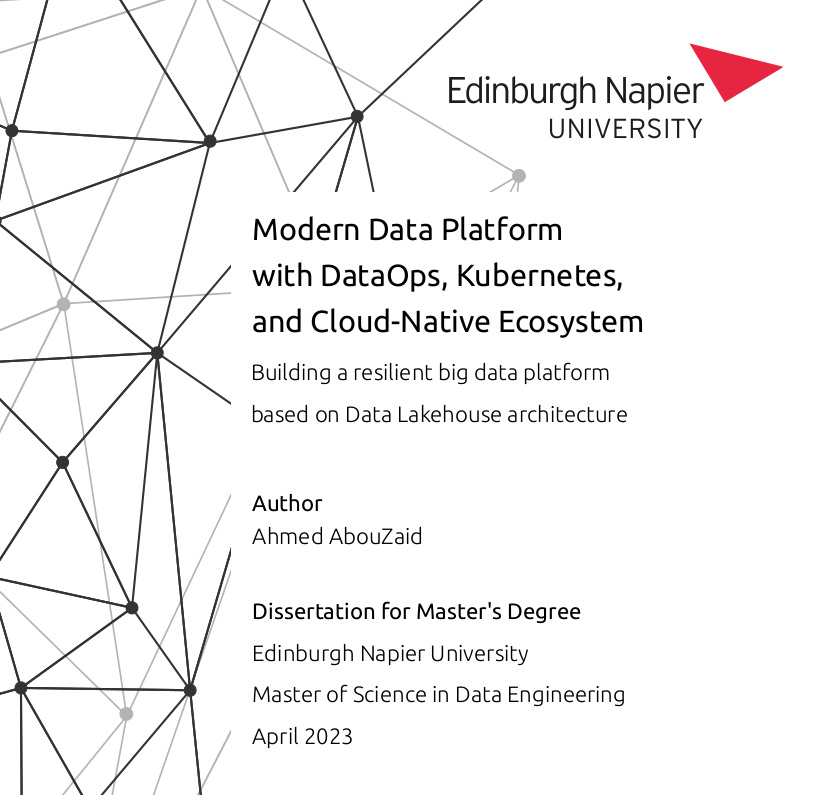
My Master's Dissertation: Modern Data Platform with DataOps, Kubernetes, and Cloud-Native Ecosystem

Almost 3 years ago (September 2020), I enrolled in a part-time master's program in data engineering at Edinburgh Napier University. Finally, two weeks ago, I got an email informing me that I successfully completed my master's and the program board of examiners awarded me Master of Science with Distinction in Data Engineering 🎉🎉🎉

My graduation ceremony would have been today, but I postponed it to October 2023 for some personal matters. So it's just a matter of time till the official graduation.

So today, I'd like to share my master's dissertation: Modern Data Platform with DataOps, Kubernetes, and Cloud-Native Ecosystem.

The dissertation builds a proof of concept for the core of Modern Data Platform using DataOps, Kubernetes, and Cloud-Native ecosystem to build a resilient Big Data platform based on Data Lakehouse architecture, which is the basis for Machine Learning (MLOps) and Artificial Intelligence (AIOps).

It was a super challenging topic, given the fact that Data Lakehouse architecture emerged just in 2020! But it was great to dive into it. I've been into data for years, and it's exciting to step up my skills from T-Shaped to Pi-Shaped (DevOps and DataOps) :-)

Continue Reading »

06/06/2023

Your DevOps learning roadmap is broken! - Career

...
⚠️ Update ⚠️
If you are looking for the solution for this dilemma, then check this out: How to become a DevOps Engineer in 2024 with the Dynamic DevOps Roadmap.
...

Can you read it? Probably not, it's already broken!

As of 2023, the DevOps Engineer role remains one of the top 10 most in-demand jobs across all industries (not just the tech field!) And that was the case for the last 5 years at least and is expected to continue for the foreseeable future.

While DevOps is a hot topic all the time, it's in particular hard to start DevOps engineer as your first job. Many engineers believe that it's not possible at all to begin as a DevOps professional without first working as a developer or in operations (I totally disagree with that!).

Almost every day, I see people struggling on their way to start as fresh/junior DevOps engineers. They usually follow some roadmap (typically roadmap.sh/devops). But still, they cannot land their first job, and sadly, many of them eventually give up!

This blog post explains why most of roadmaps don't work for DevOps roles and won't help you start your first job as a DevOps engineer. Also, the post discusses the best way to start in a DevOps role without prior work experience. While it might not work for everyone, I can say that it has been successful with all the people I have mentored in the last couple of years.


ToC

TL;DR

In 2023 starting a DevOps engineer role is challenging because the DevOps model has various implementations and patterns. It's even more complicated (but still possible) if that's your first job without previous software industry experience. Yet, many learning roadmaps like roadmap.sh/devops still follow a linear path (i.e., learn some topic to the end, then move to another, and so on) which doesn't work well with the DevOps role because a skilled DevOps engineer is a T-Shaped skilled. Adopting a dynamic MVP learning roadmap increases your chances of entering the market and starting your first job as a DevOps engineer without previous software hands-on experience.


DevOps Topologies

First, let's start with the DevOps model itself. Being a high-level methodology that can be implemented in various ways makes it super challenging. Hence, the DevOps engineer role has no unified definition or standard requirements.

I will not delve into the cliché DevOps is not a role, it is a culture (because in reality, it doesn't work like that! DevOps is not just a culture, and it is also a role), but here I want to emphasize that not all DevOps engineers are the same!

Here I want to mention "DevOps Topologies" which covers different team structures that implement DevOps. It shows many bad and good DevOps patterns.

Given that no one-size-fits-all team topology works for every organization, it's wrong to say it's not possible to start your career as a DevOps engineer. But there are situations where it's extremely challenging to do so, such as being the sole DevOps engineer in a team or even in a company.

So, what can you do to increase your chances of landing your first job as a DevOps engineer? You should have T-shaped skills and leave no stone unturned in your learning journey!

T-Shaped Skills

The "T-Shaped skills" helps DevOps engineers to efficivtly handle various challanges.

The T-shaped skills refer to combining broad and deep skills in a specific field. The horizontal bar of the "T" represents a broad range of general knowledge and skills across different disciplines or areas, and the vertical stem of the "T" represents deep expertise in a specific area. It's simply a mix between being a specialist and generalist at the same time!

The T-shaped skills will help you to work in companies with different DevOps patterns. You can easily transition between different areas in the DevOps spectrum. Not only that but also it will help you to handle new challenges effectively. In fact, the best DevOps engineers I have come across possessed T-shaped skills.

Does it mean there's no I-shaped DevOps engineer who specializes in certain areas and no little knowledge in other areas? I would say it's possible, but it may limit the available opportunities and companies you can work with.

Actually, as you progress in your career, it's better to develop more specialization (i.e., more vertical stems), and after a couple of years in the industry, your next step should be Pi-Shaped skills (search also for M-Shaped and Comb-Shaped skills, but it's a topic for another post).

To summarize this section, you should aim to gain exposure to various areas of DevOps practices and technologies without delving too deep into each one, yet, you need to dive in-depth into some of them (according to the market or organizations your target). And due to that, your roadmap shouldn't be linear but follow the MVP-style approach!

MVP Learning Roadmap

You probably heard before about the "Minimum Viable Product" or MVP, a basic version of a product with enough features to satisfy early users and gather feedback for further development, which's commonly associated with Agile methodologies. Interestingly, this approach can also be applied to learning roadmaps too!

Over the years, I saw people want to start their career as DevOps but completely lost! That's probably because they try to progress in a linear fashion. Typically they will follow some roadmap like roadmap.sh/devops and start learning the topics one by one top down. I.e., they spend a couple of weeks with Linux, then a month learning programming language, then some time with the containers, and more time with Kubernetes. And several months passed, and they found themselves stuck in the middle of the roadmap but still unable to get any job because many topics were untouched!

The truth is that the linear vertical learning path DOES NOT WORK in the DevOps field! You need to follow an MVP-style learning roadmap where you learn in iterations and touch multiple parts at the same time (not necessarily equally). Each iteration should focus on a primary topic while exploring related side topics. So after a month, you already know about each topic in the roadmap, and after the 2nd month, you have the basics, and after the 3rd month, you have a good base, and so on.

By adopting an MVP-style learning roadmap, you can ensure that you cover various aspects of DevOps while continuously building upon your knowledge. This approach allows for a more well-rounded understanding and a better chance of landing your first job as a DevOps engineer.

3 different high-level roadmaps models with different approaches to learning, the first two from the left follow the MVP-style, and the last one is linear.

  • The model on the left iterates horizontally in equal chunks over each area (good). It's simple and straightforward, each area (e.g., OS and code, containers and cloud, etc) has a fixed weight based on importance in the daily work. You don't need to think a lot about the next step, from the left to the right, you learn about each area and reach basic knowledge in all of them.

  • The model in the center iterates horizontally in dynamic chunks over each area (better). It's the same as the previous one but a bit more advanced, where it needs hands-on knowledge to decide the right weight for each area (based on many factors like targeted market or learner skills or background). This approach is more efficient; however, it requires guidance from an experienced DevOps engineer (e.g., a mentor or career coach) to define the weights correctly. It's even more critical when you have some sort of constraints like time or so (they are usually there in career shifts).

  • The model on the right iterates vertically over each area (bad). Don't do that! It has several drawbacks. For example, it delays your market fit, where in most cases, you cannot work as a DevOps engineer until you have completed all areas. Additionally, there is no space to review your learning approaches or holistic feedback in general. Finally, it's missing the connection between different areas, at the end of the day at work, you don't use a single skill at a time. I actually saw many disappointed people in the middle of the roadmap because they still didn't get the full picture.

So to ensure a more effective learning journey, it's recommended to adopt an MVP-style learning roadmap that allows for iterative learning across multiple areas while also considering the relevance and importance of each area in real-world DevOps work.

The Solution!

⭐ Check out the Dynamic Roadmap content ⭐

A dynamic MVP-style learning roadmap is one of the best ways to start as a DevOps engineer.

Let's put everything together. The Based on my experience mentoring people in different stages (starting their first job, career shift, moving to another work style or company), I have found that the approach of using a dynamic MVP-style roadmap with hands-on projects designed by an experienced DevOps engineer has been highly successful. That means each project will cover all DevOps areas used in the job. It's also essential to understand the targeted market and organizations because, with different DevOps topologies, the DevOps engineer role requirements vary.

In conclusion, to start working DevOps engineer, you don't need to know "everything" about the software development life cycle (SDLC), nor start as Dev or Ops and then switch to DevOps. In many DevOps topologies, you can secure your first job as a DevOps engineer if you invest enough time in learning (not only the technical aspects) and follow an MVP-style roadmap. Also, undoubtedly having a senior DevOps on both ends (during the learning and in the company where you apply) will make your start much easier.

Continue Reading »

05/05/2023

KubeconformValidator, my first Kustomize validator plugin - Golang

TL;DR

In the past, Kustomize suggested using transformers to validate resources, but later, it introduced validators, which are like transformers but read-only.

Say Hi to KubeconformValidator, a plugin built around Kubeconform to validate manifests schema within Kustonize 🚀

Details

  • Kubeval is not maintained anymore, and their repo suggests using Kubeconform as a replacement.
  • The KRM model is used in the plugin, so no more Kustomize legacy plugins.
  • During the weekend, I did it in 5 short iterations (in hours) to discover different options and structures.
  • In the past, I used kpt-functions-sdk/fn to work with KRM, but I decided to try Kustomize's kyaml/fn/framework, and it's great 😍
  • The kyaml/fn/framework saved a lot of work with KRM and let met to just focus on the plugin logic. For example, I don't need to deal with OpenAPI Schema validation, it does it perfectly.

Example

apiVersion: validators.kustomize.aabouzaid.com/v1alpha1
kind: KubeconformValidator
metadata:
  name: validate
  annotations:
    config.kubernetes.io/function: |
      # Exec KRM functions.
      exec:
       path: ../dist/kubeconformvalidator

      # # Containerized KRM functions.
      # container:
      #   image: aabouzaid/kubeconformvalidator
      #   network: true
spec:
  # Configure Kubeconform.
  config:
    output: json
    skip:
    - AlertmanagerConfig
  # Also, direct Kubeconform args could be used
  # but "spec.args" has lower priority over "spec.config".
  # https://github.com/yannh/kubeconform#Usage
  # args:
  # - -output
  # - json
  # - -skip
  # - AlertmanagerConfig

That's it! Enjoy, and don't forget to take a look at awesome Kustomize list! :-)

Continue Reading »

01/01/2023

Awesome Kustomize list - Kubernetes

After 3 years of using Kustomize intensively to manage Kubernetes manifests, I just created a list of "Awesome Kustomize" resources 🤩️

If you are using Kubernetes, this repo will be a pretty good starting point for Kustomize plugins, guides, tips and tricks, and more.

Kustomize is not a new tool, it started in 2018, and now it's built into "kubectl" (since v1.14), which means it's now considered the official method to deal with advanced Kubernetes scenarios (e.g., GitOps).

If you are SysOps, DevOps, SRE, or anyone working intensively with Kubernetes, you definitely should read more about Kustomize!

Also, if you just use "kubectl" or Helm, then consider using Kustomize. It could help you in many different ways (it's not a replacement for Helm, you can use both).

Follow the repo to get the updates 🚀️

https://github.com/aabouzaid/awesome-kustomize

Continue Reading »

31/12/2022

2022 Highlights


Just a random image generated with AI!

Finally, 2022 is over! What a crazy year! In many countries, the Covid-19 pandemic is about to come to an end, but a global economic recession is almost at the door!

On a personal level, it wasn't an easy year for sure, but it was good in many different ways.

Top 5 highlights in 2022

  1. Career: Started the Distribution team at Camunda 🤩️ which is responsible for building and deploying the Camunda Platform 8 Self-Managed (now using an umbrella [Helm chart). Later on, there will be a Kubernetes Operator. That's a great career boost; I just started with many new and exciting challenges. And BTW, my team will begin hiring in 2023!

  2. Coding for Kubernetes: Big refactoring for Bank-Vaults operator which is the biggest open-source contribution to a project I don't own/manage. It polished my Golang skills, and I learned many new things (and had fun where I redesigned the operator logo 😂️).

  3. Security Knowledge-sharing: In 2021, I got my CKS certificate. Then, at the beginning of 2022, I started a security initiative at Camunda to enhance security practices. Then, later on, I conducted a session about Kubernetes Security Best Practices (with some tips for the CKS exam) which was a great case that includes theory, applied practice, and knowledge-sharing!

  4. Advanced CI/CD Knowledge-sharing: I wrote a detailed post about my experience with custom step conditionalRetry, which handles failures on spot/preemptible infrastructure so you could save up to 90% of the costs and have stable builds as well! It's been released as open source, and you can use that in your pipeline!

  5. Activities: Helped more people in their careers, once by moderating the DevOps circle at [JobStack 2022, and also in the voluntary mentorship that I do from time to time.

Besides these highlights, I had some nice stuff during the year. For example:

  • Added more features to kubech (which is a tool to set kubectl context/namespace per shell/terminal )
  • Virtually attended KubeCon Europe 2022, and the content was great!
  • Reached my writing goal this year and wrote 12 blog posts in 2022!

And since we are on this topic, here are the top 5 visited blog posts in 2022!

Top 5 posts in 2022

  1. Delete a manifest from Kustomize base - Kubernetes

  2. 3 ways to customize off-the-shelf Helm charts with Kustomize - Kubernetes

  3. Validate, format, lint, secure, and test Terraform IaC - CI/CD

  4. Now I'm a Certified Kubernetes Application Developer + 10 exam tips

  5. Continuous Delivery and Maturity Model - DevOps

No wonder that Kustomize post is the hights post; that's because there is not much content about it even though it's built-in kubectl now! (since v1.14), I probably need to give it more attention since there is an increase in the demand for it.

For that reason, I just started Awesome Kustomize, which is a curated and collaborative list of awesome Kustomize resources 🎉️


Enjoy 🚀️

Continue Reading »

12/12/2022

22/11/2022

Set OpenAPI patch strategy for Kubernetes Custom Resources - Kustomize

Kustomize supports 2 main client-side patching methods for Kubernetes manifests, JSON Patching and Strategic Merge Patch. In the JSON Patching method, you have a "meta" syntax that specifies operation/target/value. In the Strategic Merge Patch method, you can override values by providing a patch file with the same structure but with new values, and it will override the original values (it simply merges the 2 files with the same structure).

Each method has pros and cons but generally speaking, I would arguably say that Strategic Merge Patch is better for big changes/patches, and JSON Patching is better for smaller fine-grained patches. And for my use case, I will use Strategic Merge Patch, but I just faced a problem with patching Kubernetes Custom Resources!

ToC

TL;DR

Kustomize's default patch strategy for the lists (arrays) is replace. That means the patch list will override the original list, which is not always the desired behavior. That behavior could be changed only if an OpenAPI schema for a Kubernetes resource is available to define the patch strategy.

The OpenAPI schema for Kustomize core resources (like Namespace, Deployment, Pod, etc.) is already part of Kustomize, so changing the patch strategy works out of the box for these resources. However, if you have a Kubernetes Custom Resource, you need to provide to Kustomize the OpenAPI schema of that custom resource. And that's only useful if the custom resource includes the OpenAPI extensions related to merging strategy.

This post shows how to add those extensions to have control over the patch strategy. You can jump directly to the solution section if you already know all these details.

1. Task

I want to use Kustomize to patch Kubernetes Custom Resources like Prometheus AlertmanagerConfig), and I want to use merge as a patch strategy for lists. That means the original lists in the same path should be merged, not overridden by the patch list. That works out of the box for Kustomize core resources but not for custom resources. First, let's see that in action, then dive into the explanation afterward.

2. Issue reproduction

Let's have a look at this example using the core resource Pod, given this Kustomization file:

# kustomization.yaml
apiVersion: kustomize.config.k8s.io/v1beta1
kind: Kustomization

resources:
- pod.yaml

patches:
- pod-patch01.yaml
- pod-patch02.yaml

And these resources and patches files:

# pod.yaml
apiVersion: v1
kind: Pod
metadata:
  name: nginx
spec:
  containers:
  - name: nginx
    env:
    - name: MY_ENV_VAR_01
      value: source

# pod-patch01.yaml
apiVersion: v1
kind: Pod
metadata:
  name: nginx
spec:
  containers:
  - name: nginx
    env:
    - name: MY_ENV_VAR_01
      value: patch 01

# pod-patch02.yaml
apiVersion: v1
kind: Pod
metadata:
  name: nginx
spec:
  containers:
  - name: nginx
    env:
    - name: MY_ENV_VAR_02
      value: patch 02

The kustomize build . will return:

apiVersion: v1
kind: Pod
metadata:
  name: nginx
spec:
  containers:
  - name: nginx
    env:
    - name: MY_ENV_VAR_02
      value: patch 02
    - name: MY_ENV_VAR_01
      value: patch 01

As you see, the env key MY_ENV_VAR_01 overrode by the value from pod-patch01.yaml, and the env key MY_ENV_VAR_02 has just been added from pod-patch02.yaml. That's great; the lists are merged based on the name key.

...

However, if you tried to do that with a CustomResource like AlertmanagerConfig, it would not work! Let's give it a try! Given this Kustomization file:

# kustomization.yaml
apiVersion: kustomize.config.k8s.io/v1beta1
kind: Kustomization

resources:
- alertmanagerconfig.yaml

patches:
- alertmanagerconfig-patch01.yaml
- alertmanagerconfig-patch02.yaml

And these resources and patches files:

# alertmanagerconfig.yaml
apiVersion: monitoring.coreos.com/v1alpha1
kind: AlertmanagerConfig
metadata:
  name: example
spec:
  receivers:
  - name: 'webhook01'
    webhookConfigs:
    - url: 'http://example.com/'

# alertmanagerconfig-patch01.yaml
apiVersion: monitoring.coreos.com/v1alpha1
kind: AlertmanagerConfig
metadata:
  name: example
spec:
  receivers:
  - name: 'webhook01'
    webhookConfigs:
    - url: 'http://example01.com/'

# alertmanagerconfig-patch02.yaml
apiVersion: monitoring.coreos.com/v1alpha1
kind: AlertmanagerConfig
metadata:
  name: example
spec:
  receivers:
  - name: 'webhook02'
    webhookConfigs:
    - url: 'http://example02.com/'

The kustomize build . will return:

apiVersion: monitoring.coreos.com/v1alpha1
kind: AlertmanagerConfig
metadata:
  name: example
spec:
  receivers:
  - name: webhook02
    webhookConfigs:
    - url: http://example02.com/

As you see, the last patch from the file alertmanagerconfig-patch02.yaml replaced everything in the spec.receivers list, and that's the default behavior in Kustomize. The patch list will replace everything in the original list. Why? Because that's the safest choice since Kustomize doesn't know anything about AlertmanagerConfig schema! Before diving into the fix, let's learn more about the why.

3. Background

The Strategic Merge Patch is a client-side merge method that merges 2 or more Kubernetes manifests together based on the manifest apiVersion, kind, and metadata.name. To merge 2 YAML files, you need to decide the "merge strategy" for different data types, i.e., what should happen for the "string", "int", "list", "map", and so on? Should they merge together? Or do the patch values override the original values?

Also, each data type could be patched differently; for example, how to patch a list? Kustomize provides different patch formats like merge, replace, and delete. In fact, in a previous post (Delete a manifest from Kustomize base), I mentioned the delete patch strategy, which works out of the box with core Kubernetes primitive (namespace, deployment, pod, etc.), but not the CustomResources.

Why does it work with core resources only? Because of 2 things.

  1. The Kubernetes project includes specific keys (extensions) in the core resources OpenAPI schema to deal with that. Namely the OpenAPI extensions x-kubernetes-patch-strategy and x-kubernetes-patch-merge-key (see them in Kubernetes swagger.json).
  2. The OpenAPI schema for Kubernetes' core resources is embedded in Kustomize.

If those keys are not included in the OpenAPI schema, and Kustomize doesn't have access to the OpenAPI schema, the default behavior will be applied, which in Kustomize, the patch list will fully replace the original list.

4. Solution

Now there are 2 cases, First, if the custom resource definition already has the x-kubernetes-patch-*`, and second, if the custom resource definition doesn't have them at all. The Kustomize supports "openapi" field, which specifies where Kustomize gets its OpenAPI schema.

For the first case, it's easy; you just need to point Kustomize to the OpenAPI schema and that's it!

# kustomization.yaml
apiVersion: kustomize.config.k8s.io/v1beta1
kind: Kustomization

openapi:
  # It could be also a URL.
  path: monitoring.coreos.com_v1alpha1_alertmanagerconfig.json
[...]

However, for the second case, in a Platonic world, you should contact the upstream to add the OpenAPI extension keys x-kubernetes-patch-strategy and x-kubernetes-patch-merge-key. But as you know, in reality, that will take ages, and in the best-case scenario, it will not happen overnight! So the pragmatic solution is to tell Kustomize how to deal with that custom resource via OpenAPI schema.

We will simply get the Custom Resource's OpenAPI schema and add the x-kubernetes-patch-* keys to it with the merge strategy, which can also be customized using different patch formats like merge, replace, and delete.

The following are the step to get the OpenAPI schema of a custom resource, clean it, add the merge strategy keys, and finally use it in kustomization.yaml file.

4.1 Get the custom resource OpenAPI schema

You can get the OpenAPI schema for the resource from the upstream project, or if you have already installed its CustomResourceDefinition, then you can get it directly by calling Kubernetes API. And since K8s API will return every definition it has (probably thousands of lines), we will use jq to get the exact custom resource OpenAPI schema.

Here is a snippet that will help to get the OpenAPI definition for a particular resource:

get_openapi_definition () {
    jq \
        --arg group "${1}" \
        --arg version "${2}" \
        --arg kind "${3}" \
        '.definitions | with_entries(select(.value."x-kubernetes-group-version-kind"[0] |
            .group==$group and
            .version==$version and
            .kind==$kind
        ))'
}

And we can get the schema for the exact resource from Kubernetes API by running the following (remember, you should have installed the CRD for that resource into your Kubernetes cluster to be able to do that):

kustomize openapi fetch | get_openapi_definition "monitoring.coreos.com" "v1alpha1" "AlertmanagerConfig" > alertmanagerconfig_openapi_schema_map.json

4.2 Find the desired key path

Here is most of the manual work, but the good news is that you need to do it once. We need 2 things, the data of the path spec.receivers and the key x-kubernetes-group-version-kind. Open the schema file and remove everything not under the hierarchy of the path we want to customize.

Here is what it looks like after removing everything unrelated:

# alertmanagerconfig_openapi_schema_map.json
{
  "com.coreos.monitoring.v1alpha1.AlertmanagerConfig": {
    "properties": {
      "spec": {
        "properties": {
          "receivers": {
            "type": "array"
          }
        },
        "type": "object"
      }
    },
    "type": "object",
    "x-kubernetes-group-version-kind": [
      {
        "group": "monitoring.coreos.com",
        "kind": "AlertmanagerConfig",
        "version": "v1alpha1"
      }
    ]
  }
}

4.3 Create the custom OpenAPI schema file

Now we just need to put everything together adding x-kubernetes-patch-* keys and the definitions parent. The final result will look like the following:

# monitoring.coreos.com_v1alpha1_alertmanagerconfig.json
{
  "definitions": {
    "com.coreos.monitoring.v1alpha1.AlertmanagerConfig": {
      "properties": {
        "spec": {
          "properties": {
            "receivers": {
              "x-kubernetes-patch-merge-key": "name",
              "x-kubernetes-patch-strategy": "merge",
              "type": "array"
            }
          },
          "type": "object"
        }
      },
      "type": "object",
      "x-kubernetes-group-version-kind": [
        {
          "group": "monitoring.coreos.com",
          "kind": "AlertmanagerConfig",
          "version": "v1alpha1"
        }
      ]
    }
  }
}

4.4 Update kustomization.yaml with the OpenAPI schema file

The final step, we need to tell Kustomize about our custom OpenAPI schema file as follows (it also accepts YAML files in case you like to convert it):

# kustomization.yaml
apiVersion: kustomize.config.k8s.io/v1beta1
kind: Kustomization

openapi:
  path: monitoring.coreos.com_v1alpha1_alertmanagerconfig.json

resources:
- alertmanagerconfig.yaml

patches:
- alertmanagerconfig-patch01.yaml
- alertmanagerconfig-patch02.yaml

Now the kustomize build . will return:

apiVersion: monitoring.coreos.com/v1alpha1
kind: AlertmanagerConfig
metadata:
  name: example
spec:
  receivers:
  - name: webhook02
    webhookConfigs:
    - url: http://example02.com/
  - name: webhook01
    webhookConfigs:
    - url: http://example01.com/

Great, it works as expected! 🎉️ And the custom resource list is merged based on the name key (you can choose any merge key based on your use case).

Conclusion

Kustomize is super powerful and has many capabilities to manage your entire Kubernetes infrastructure as code! And the most fantastic thing? It's now part of kubectl, so it's almost the standard way to deal with advanced Kubernetes manifest structure.

Enjoy :-)

Continue Reading »

11/11/2022

Powered by Blogger.

Hello, my name is Ahmed AbouZaid, I'm a passionate Tech Lead DevOps Engineer. 👋

I specialize in Cloud-Native and Kubernetes. I'm also a Free/Open source geek and book author. My favorite topics are DevOps transformation, DevSecOps, automation, data, and metrics.

More about me ➡️

Contact Me

Name

Email *

Message *

Start Your DevOps Engineer Journey!

Start Your DevOps Engineer Journey!
Start your DevOps career for free the Agile way with the Dynamic DevOps Roadmap ⭐

My Latest Peer-reviewed Research Paper

My Latest Peer-reviewed Research Paper
Building a Modern Data Platform Based on the Data Lakehouse Architecture and Cloud-Native Ecosystem

Latest Post

10 Helm Chart Development Best Practices - Kubernetes

About 10 years ago, I used SaltStack extensively and wrote my top 10 best practices for SaltStack formulas . Today, I do the ...

Popular Posts

Blog Archive